





Calculators for your project costs
Useful information
Some weekly posted topics
Bot Traffic
How to Detect Fake Website Visitors and Protect Your Leads


Your Website Traffic Is Growing. But Are Those Visitors Real?
Your website traffic is increasing, but enquiries remain unchanged. Your analytics show more sessions, yet your sales team receives the same number of qualified leads. Perhaps your contact form is suddenly filling up with irrelevant messages.
These patterns deserve investigation. One possible explanation is bot traffic: visits or requests generated by automated software rather than ordinary human browsing. However, a traffic increase alone does not prove that bots are responsible. A successful campaign, a search engine crawler, a monitoring service, or an actual audience may also explain the change.
The important question is not simply how many visits your website receives. It is whether those visits represent genuine interest, useful automated activity, or requests that waste resources and distort your reporting.
The History of Bot Traffic: Automated Crawling Began Early
Automated website visits are not a new problem created by modern artificial intelligence. They are part of the Web’s history.
In June 1993, MIT researcher Matthew Gray developed the World Wide Web Wanderer, an early web crawler designed to measure the growth of the Web. It collected information about websites, and the data was stored in a database called the Wandex. The project is documented in The History of the Web’s historical timeline.
The distinction matters: the Wanderer was created to measure the Web, not to carry out today’s spam campaigns. Its history illustrates a foundational point about website traffic: automated requests can serve a legitimate purpose. Search engines need crawlers to discover pages, and other services use automated systems for monitoring, previews, research, and data collection.
The challenge for website owners is therefore not to eliminate every bot. It is to distinguish useful automation from activity that creates security risks, wastes resources, or interferes with business goals.
What Is Bot Traffic?
Bot traffic is website activity generated by automated software. It’s purpose and impact depend on the system generating it.
Legitimate bots can crawl pages for search indexing, check website availability, or retrieve information for a service. Unwanted bots may scrape content, probe for vulnerabilities, submit spam through forms, attempt repeated logins, or send excessive requests.
Some automation is obvious, while more sophisticated bots can imitate aspects of human browsing. For that reason, a single metric, such as a short session, a high bounce rate, or a particular location—is not enough to establish that a visitor is a bot.
The distinction between traffic and requests also matters. A server can receive automated requests that do not appear as ordinary sessions in Google Analytics. Conversely, analytics can record suspicious-looking sessions without providing enough evidence to determine their origin. Reliable diagnosis may require both analytics data and server-side evidence.
How to Detect Bot Traffic in Google Analytics
Google Analytics automatically excludes traffic from known bots and spiders as far as possible. It explains that this exclusion cannot be disabled and that GA4 does not report how much known bot traffic was removed. That means your reports are not a complete inventory of all automated activity. Google’s documentation on known bot-traffic exclusion explains the limitation.
Other suspicious activity may still appear in your reports. Look for unusual changes in traffic volume, engagement, conversions, and acquisition sources, then compare those patterns with your campaign activity and website logs.
One diagnostic action you can take immediately
Compare traffic and conversions by session source in GA.
- Open Google Analytics and select Reports → Acquisition → Traffic acquisition.
- Set the date range to cover the period when you noticed the increase. Compare it with the previous equivalent period.
- Review the Session source / medium dimension alongside sessions, engagement, and key events such as form submissions or purchases.
- Identify any source where sessions rose sharply while meaningful conversions remained flat or fell.
- Investigate that source before blocking anything. Check whether a campaign, referral, monitoring tool, or other legitimate activity explains the change.
Google’s Traffic acquisition report documentation explains how to examine the origins of sessions.
This check will not prove that traffic is automated. It gives you a specific starting point for finding suspicious patterns and deciding what evidence to collect next. A source with low conversion rates may simply be reaching the wrong audience, so confirm the pattern before taking action.
Signs That Your Website May Be Receiving Unwanted Bot Traffic
Analytics patterns are more useful when combined with evidence from actual website activity.
Unexpected form submissions: A sudden increase in submissions containing nonsensical text, repeated messages, invalid contact details, or irrelevant links can indicate automated abuse. Review the submissions themselves rather than relying only on the total count.
Repeated requests in a short period: Server logs may reveal bursts of requests to the same form, login endpoint, or page. Repetition is a useful clue, although legitimate crawlers and monitoring services can also make frequent requests.
Traffic that does not match business results: If sessions increase but qualified leads, purchases, and other meaningful actions do not, investigate the source and quality of the new traffic. The discrepancy is a warning sign, not proof of bots.
Unusual server activity: Requests for non-existent paths, repeated access attempts, or excessive traffic to specific endpoints may indicate automated scanning or abuse. A hosting provider or technical specialist can help interpret server logs and request patterns.
No single sign is conclusive. Look for several consistent signals, check the timing of the change, and compare the evidence with legitimate marketing or technical activity.
How to Reduce Unwanted Bot Activity on WordPress
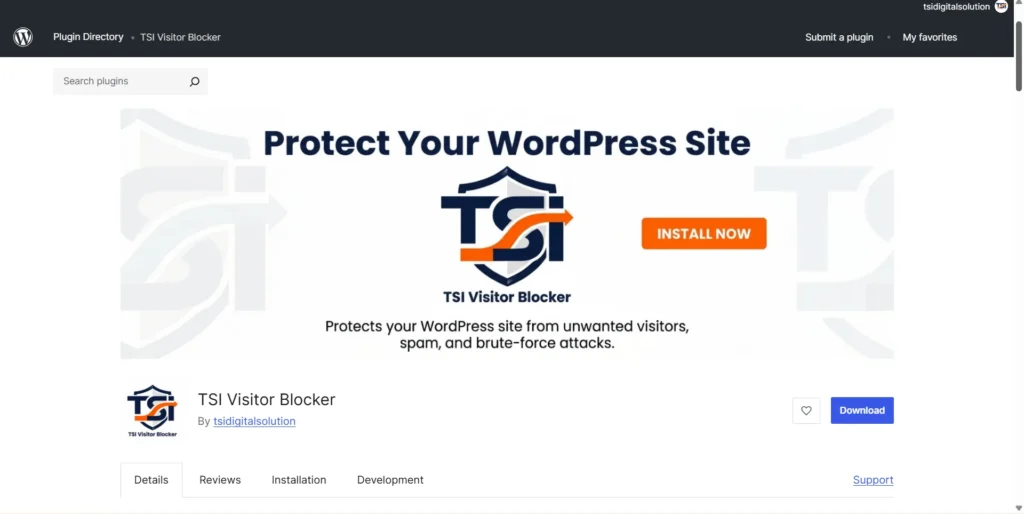
For WordPress website owners who need more direct controls, TSI Visitor Blocker provides features for blocking IP addresses and subnets, countries, user agents, and specified email addresses or domains in supported contexts. It also includes POST-request rate limiting and optional AbuseIPDB integration.
The appropriate configuration depends on the traffic you are seeing and which features your website uses. Test rules carefully and monitor the results to avoid blocking genuine customers or legitimate services.
The goal is not to make a website inaccessible to automation. It is to reduce unwanted activity while preserving the access your website needs to function and be discovered.
Does Bot Traffic Hurt SEO and Lead Generation?
Unwanted bot activity can complicate analytics, consume server resources, and create spam that wastes time. If you use traffic numbers to assess campaigns, suspicious activity can also make performance harder to interpret.
However, bot traffic does not automatically cause lower Google rankings. Google uses its own systems to crawl and evaluate pages, and legitimate search-engine crawling is necessary for discovery. A spike in automated visits should not be treated as evidence of an SEO penalty.
For lead generation, the practical risk is often more immediate. Inflated traffic or spam submissions can make a campaign appear more successful than it is, distract staff, and obscure the quality of genuine enquiries. Separating meaningful activity from noise helps you make better decisions about content, advertising, and website improvements.
Conclusion
Growing website traffic is only valuable when it brings genuine opportunities for your business. By monitoring suspicious patterns, checking your analytics, and applying targeted security measures, you can protect your website while keeping legitimate visitors and search engine crawlers accessible. Don’t let automated activity distort your results or waste your team’s time. Take control of your WordPress website with TSI Visitor Blocker and focus on the visitors who matter most: your potential customers.
Frequently Asked Questions (FAQ)
What is bot traffic?
Bot traffic is website activity generated by automated software. It can come from legitimate search crawlers and monitoring tools or from unwanted automation that scrapes content, probes for vulnerabilities, or submits spam.
How can I detect bot traffic in Google Analytics?
Compare traffic sources, engagement, and key events across relevant date ranges. Investigate unusual increases that do not match campaign activity or business results. GA excludes known bots and spiders automatically, but its reports cannot identify every form of automated activity.
How do I stop bots on WordPress?
Use controls matched to the problem, such as form validation, anti-spam protection, rate limiting, targeted blocking, or server-level security rules. Review evidence before blocking traffic, because overly broad rules can affect legitimate visitors and crawlers.
Does bot traffic hurt SEO?
Not automatically. Legitimate crawlers help search engines discover content. Unwanted activity can affect site resources and reporting, but bot traffic alone does not establish that a website has received an SEO penalty.
Why is my website getting traffic but no leads?
Possible causes include poorly targeted campaigns, weak landing pages, a mismatch between visitor intent and your offer, measurement problems, or automated traffic. Compare acquisition sources with qualified conversions and investigate unusual patterns before concluding that bots are responsible.
Protect Your Website Without Blocking the Wrong Visitors
Website traffic only becomes useful when you understand what is behind it. If visits increase but business results do not, investigate the source, compare conversions, and confirm suspicious activity before changing your security rules.
If your WordPress website is receiving unwanted requests or spam submissions, explore TSI Visitor Blocker to see whether its targeted blocking and rate-limiting features fit your needs.TSI Digital Solution helps businesses build, maintain, and protect websites with practical digital solutions focused on real business outcomes.
TSI Digital Solution
(Brand of PT Tripple SoRa Indonesia)
Jl. Sunset Road No.815 Seminyak, Kuta, Badung, Bali – 80361, Indonesia
TSI Digital Solution
(Brand of PT Tripple SoRa Indonesia)
Jl. Sunset Road No.815 Seminyak, Kuta, Badung, Bali – 80361, Indonesia
Copyright © 2022 -
TSI Digital Solution | All rights reserved.