




Edit Template

TSI Visitor Blocker.

T

S

I

Visitor

Blocker

TSI Visitor Blocker Logo

TSI Visitor Blocker

Advanced visitor, spam, and abuse protection plugin by TSI Digital Solution. Block malicious IPs, countries, emails, domains, comments, and form spam - all from an easy admin panel.

Key Features

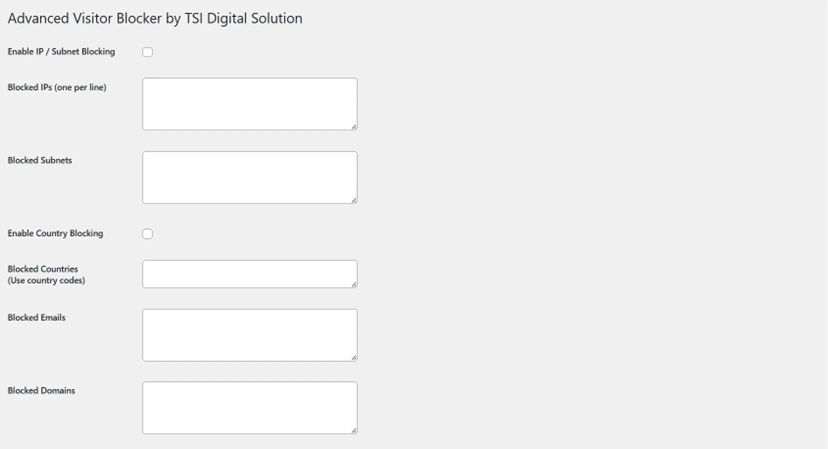
  • Block visitors by IP and subnet, including IPv4 & IPv6
  • Country-based blocking (by country code)
  • Email and domain filtering for forms and comments
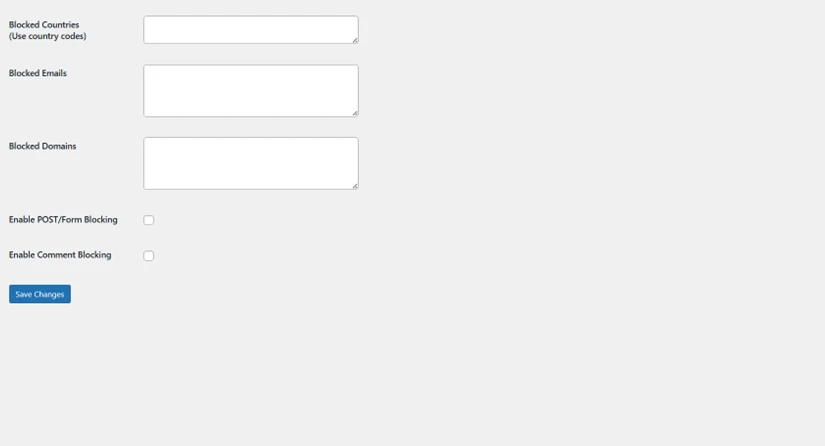
  • Comment and POST submission protection
  • Admin-friendly UI with toggles and fields
  • MU-plugin enforcement ensures protection even if plugin is disabled
  • Optional AbuseIPDB integration for automated spam/abuse detection
  • White-labeled by TSI Digital Solution

Screenshots
Admin UI Screenshot IP Blocking Screenshot Form Blocking Screenshot

Download Plugin

Get the latest version of TSI Visitor Blocker:

Download ZIP

Installation & Setup

  1. Upload the plugin folder to /wp-content/plugins/.
  2. Activate the plugin via Plugins → Installed Plugins.
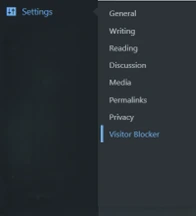
  3. Go to Settings → Visitor Blocker to configure IPs, subnets, countries, emails, and domains.
  4. Enable the protection toggles as needed.
  5. Goodluck, enjoy and stay safe!

Support

If you encounter any issues or need assistance, contact us at:

contact@tsidigitalsolution.com

I

F

A

Q

Yes. Enable ‘Country Blocking’ in the settings and enter ISO 3166-1 alpha-2 country codes (e.g., CN for China, RU for Russia, BR for Brazil) one per line. The plugin uses GeoIP lookup via ip-api.com to determine visitor location and blocks at the server level before WordPress renders content.

Navigate to Settings > Visitor Blocker. In the ‘Blocked Domains’ field, enter email domains without @ symbols (e.g., spamdomain.com, tempmail.net). Enable ‘Comment Blocking’ checkbox. The plugin intercepts comments before they are saved, checking both the author email and comment content for blocked domains.

Access your wp-admin panel (blocking doesn’t affect admin access). Go to Settings > Visitor Blocker. Remove the specific IP, subnet, email, or domain from the relevant blocklist textarea. Save changes. For immediate relief, you can also add their IP to an ‘Allowed IPs’ section (if implemented) or temporarily disable the specific blocking module.

Yes. The plugin supports both IPv4 and IPv6 addressing. Use CIDR notation for subnets (e.g., 192.168.1.0/24 for IPv4, 2001:db8::/32 for IPv6). The avb_ip_in_range() function uses inet_pton() for binary comparison, ensuring accurate matching across both protocols.

Yes, but configuration is required. Since the plugin executes on init, it runs before page caching. However, for Cloudflare or other reverse proxies, ensure the plugin checks HTTP_X_FORWARDED_FOR headers for real visitor IPs. Country blocking may conflict with Cloudflare’s own country blocking; disable one to avoid conflicts.

TSI Digital Solution
(Brand of PT Tripple SoRa Indonesia)

Jl. Sunset Road No.815 Seminyak, Kuta, Badung, Bali – 80361, Indonesia

TSI Digital Solution
(Brand of PT Tripple SoRa Indonesia)

Jl. Sunset Road No.815 Seminyak, Kuta, Badung, Bali – 80361, Indonesia

Edit Template